

Know what stays. Know what goes.
The cutting guide shows the folded 30-degree working wedge. Read the retained black paper and marked waste together; an opening in the unfolded picture may meet a folded edge in this guide.
Preserve narrow connections between shapes. Loose shapes need a backing sheet or separate placement; the drawing has not been physically tested for connectivity.
Print the right guide for this snowflake
Choose A4 or US Letter to match the paper loaded in your printer. Print at 100% / Actual size, turn off Fit to page and browser headers and footers, then measure the 50 mm calibration line. If it is not exactly 50 mm, correct the print settings before tracing.
- Page 1 — unfolded reference and round blank. Cut the 180 mm circle shown on the first page. A4 and Letter use the same design size; the page margins differ.
- Page 2 — folding sequence. Follow the half thirds half sequence. Keep the original center as the pointed end.
- Page 3 — full-size working wedge. Match the point and both straight fold edges to your folded paper before tracing. This is the sheet to use for folded cutting.
- Page 4 — cutting and opening order. Keep these step illustrations beside you; they are not full-size tracing patterns.
The SVG and PNG show the unfolded artwork. Use the PDF working wedge for folded paper. A small screen preview or a resized image is not a substitute for the calibrated sheet. SVG cutting-machine compatibility has not been tested.
Choose paper and tools for this pattern
Use thin paper that remains manageable when folded into twelve layers. Test a small folded scrap with your scissors before tracing the whole design. Thick card or slippery stacked sheets can make fine turns harder; use one circle per trial and stop if you have to force the tool.
The openings in this folded working guide meet an edge. Begin those cuts from the indicated edge instead of piercing through a retained stem. Small scissors may suit the accessible contours, but check the folded thickness and your ability to turn the paper first. A ruler checks the print scale; a light pencil or low-tack tape helps transfer the guide without shifting the layers.
Difficulty and time are planning estimates, not measured cutting results. Make one trial before choosing quantities or timing for a class. The snowflake materials guide explains how to prepare the paper and tools.
Read the Diamond Crystal Snowflake pattern
Diamond Crystal replaces solid tips with six hollow diamond frames. Its straight edges make the outline easy to compare with the reference, but every frame has to remain joined to its stem. Work slowly where the inner and outer diamond corners are close together.
- Distinguish the two diamonds
- The larger diamond is the outside boundary of retained paper. The smaller diamond is the opening. The black space between their four sides forms the frame; it is not spare paper.
- Keep the lower neck
- Below each diamond, a straight neck leads back to the solid center. Locate the lower point of the opening and the black paper beneath it. That connection must remain after the inner cut.
- Check the corner spacing
- Look at the black margin between the inner and outer points. The corners need deliberate stops: a cut extended past its marked point can enter the frame even if its straight side looks accurate.
Explore this pattern in the snowflake maker · Follow the six-point folding tutorial
Fold and cut your six-point snowflake
Circle paper • 30-degree sector • 12 layers
Start with a 180 mm circle. Fold in half, fold the semicircle in thirds to make a 60-degree sector, then fold that sector in half. The final 30-degree wedge has 12 layers; its pointed tip is the original paper center.
Start with the round blank on PDF page 1. The step illustrations show the sequence; use page 3 for tracing at actual size. Keep supporting paper until the outside-cutting step.
1. Prepare the circle
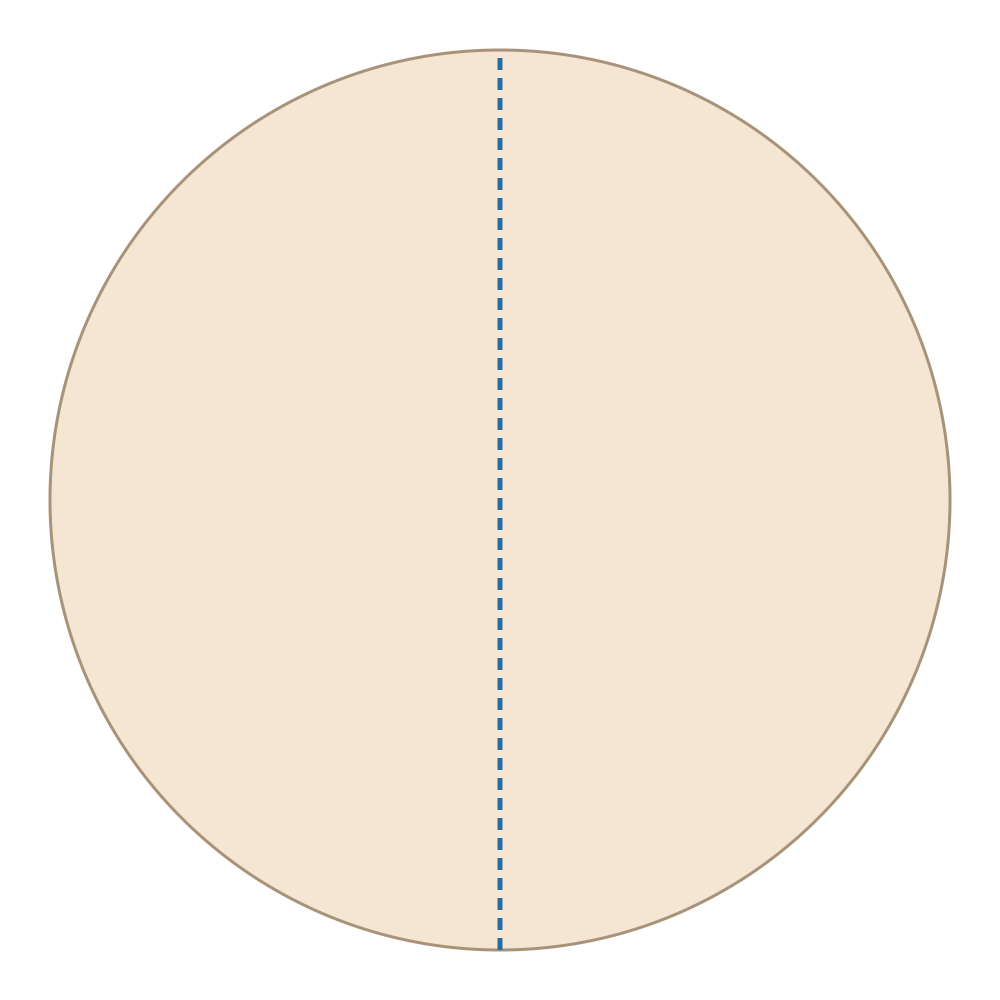
Print the matching PDF at 100% and check the 50 mm line. Cut a 180 mm circle from thin paper using the gray outline on page 1. Mark its center lightly; it will become the pointed end of every fold.
2. Fold to a 30-degree wedge
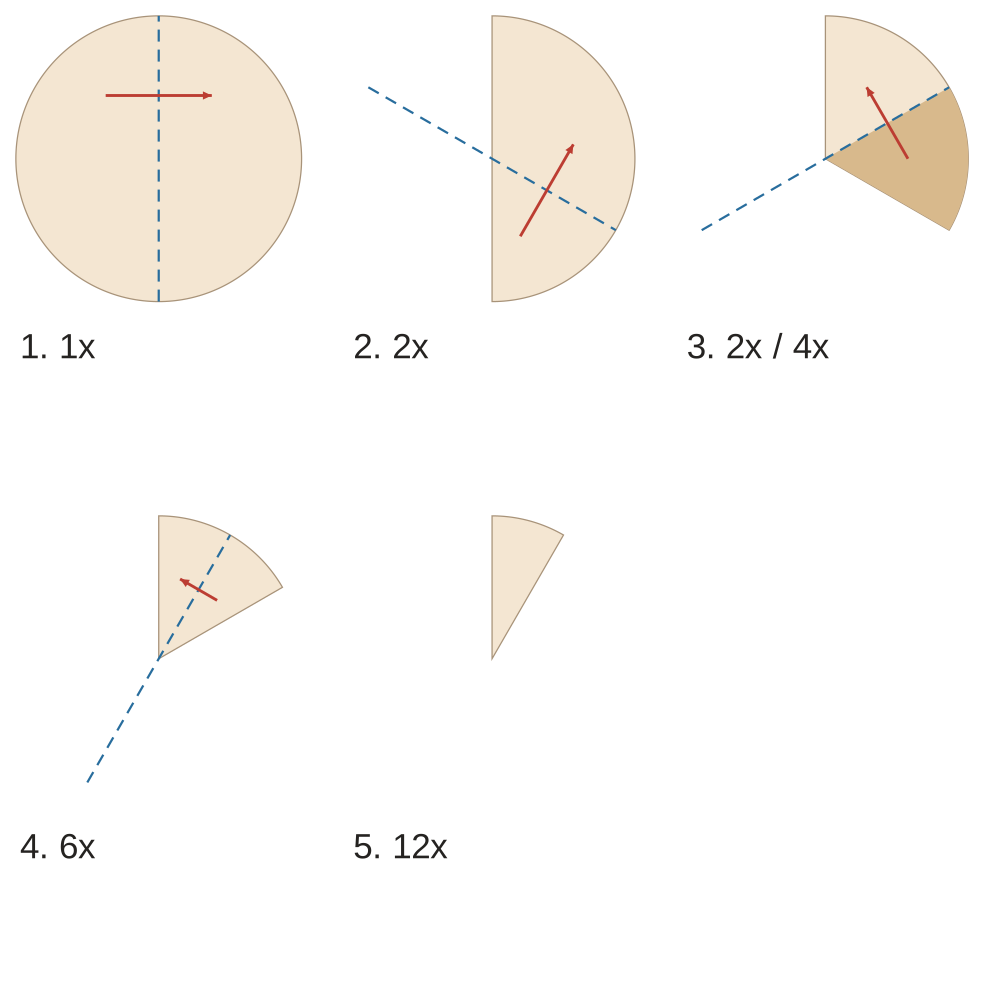
Fold the circle in half. Divide the semicircle into three equal 60-degree sectors and fold both sides inward. Fold the resulting 60-degree stack in half once more. Keep all 12 layers aligned; the rounded edge is away from the center. Align the center tip and both folded edges with the full-size guide on PDF page 3, then trace its cutting contours.
3. Cut the inner openings
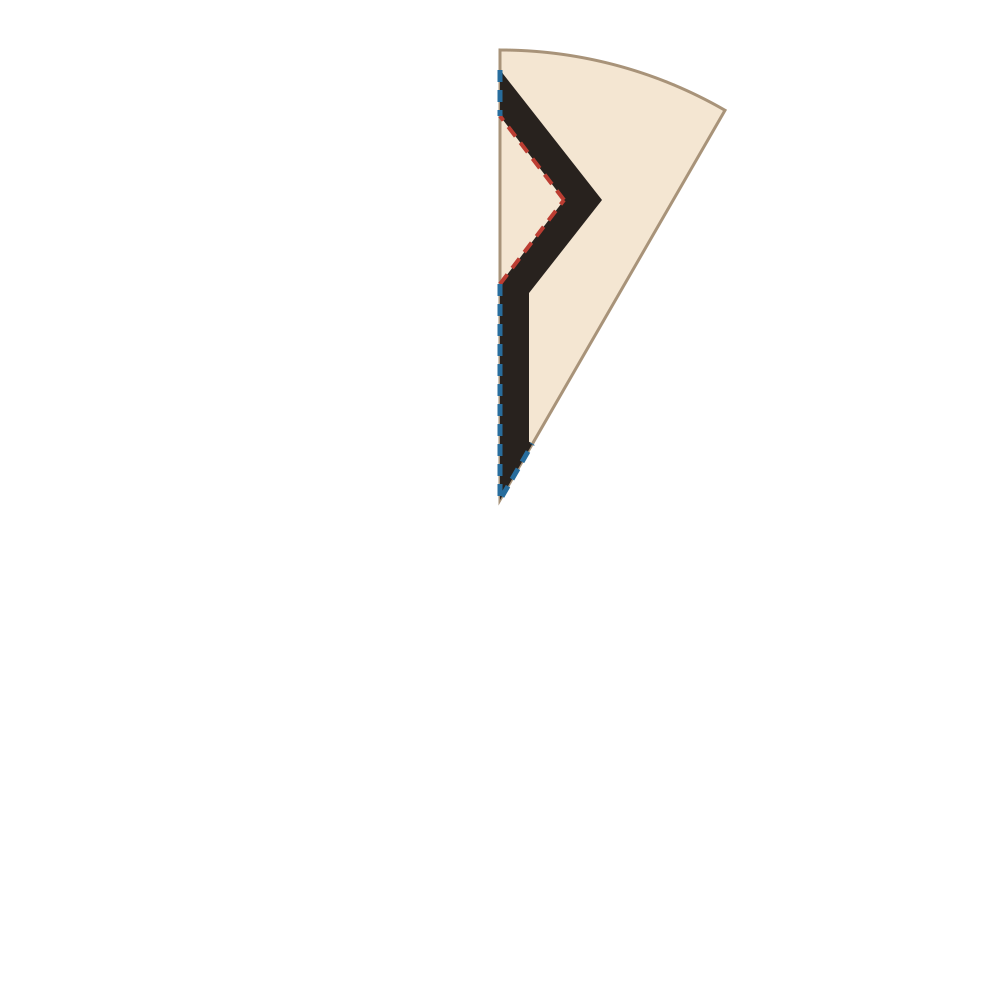
Cut the small marked openings before the outside edge. An opening that reaches a folded edge can be started there; an enclosed opening needs an adult using a craft knife on a cutting mat. Keep the neck below every diamond and the four sides around each opening.
4. Cut the outside silhouette
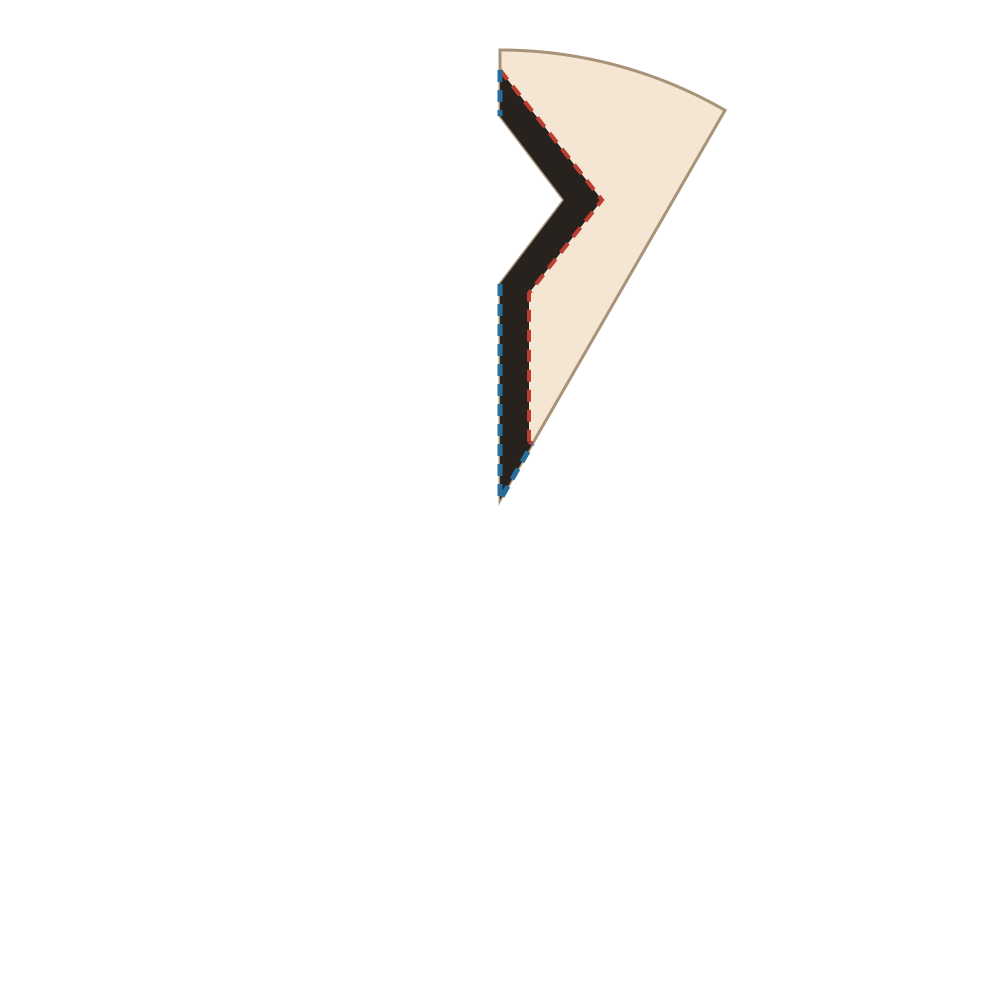
Follow the red outside contour while retaining the black paper. Keep the neck below every diamond and the four sides around each opening. Blue dashed marks locate folded edges; do not cut along them. Support the stack and turn the paper for corners.
5. Open the layers gently
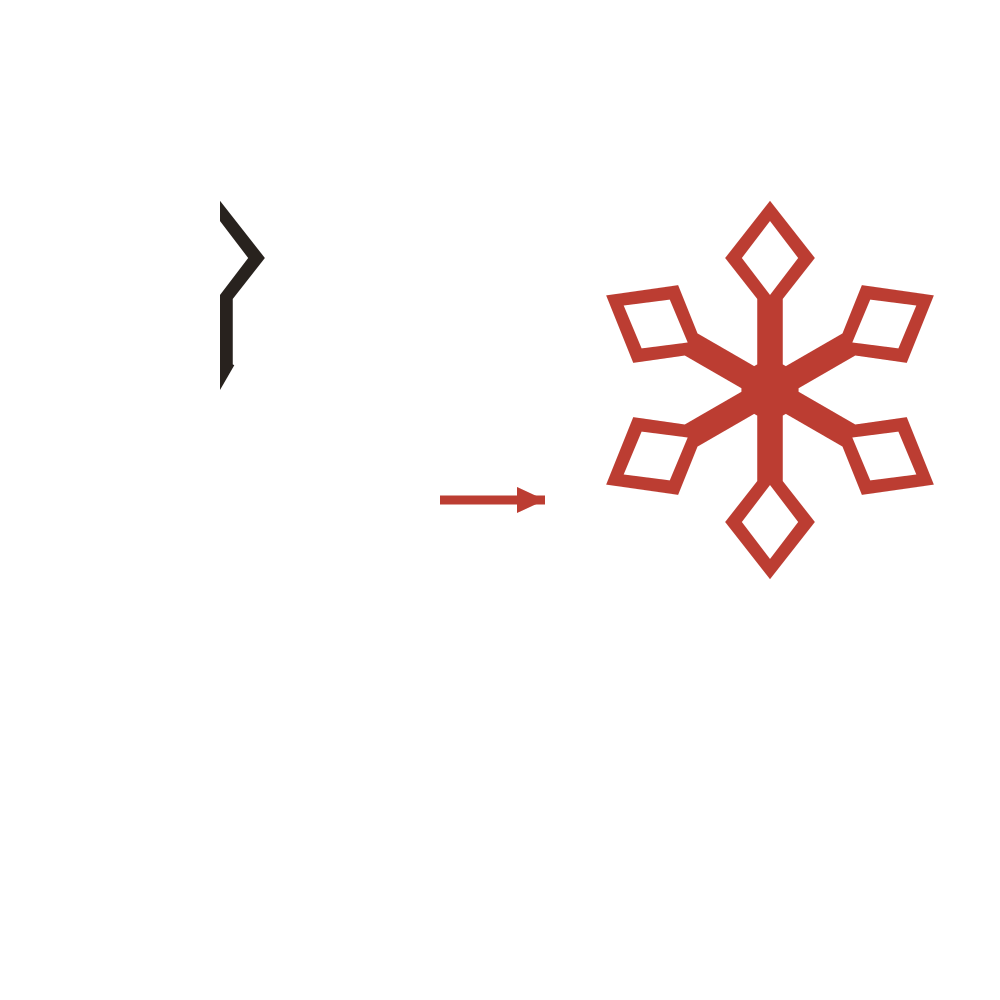
Separate the last fold first, then open the thirds and finally the semicircle. Support the center and release each branch without pulling on its tip. The 30-degree cut unit repeats by reflection to make six matching arms.
6. Flatten and display

Lay diamond crystal snowflake between clean sheets under a book. Use small removable tape tabs on broad areas for a window display, or mount it flat on a contrasting card. Save the SVG if you want to edit the geometry.
Print the PDF at 100% or Actual size. Its 50 mm check line must measure 50 mm. The full circle and folded guide use the same scale. Difficulty and time are planning estimates; this design has not been physically trial-cut.
Use the matching PDF working wedge for tracing; the step pictures are illustrations. A4 is the default; the Letter download uses a Letter sheet. Try a scrap first to check fragile bridges.
Cutting checks for Diamond Crystal Snowflake
- Cut the diamond opening first
- Keep the surrounding margin in place while making the internal contour on the folded guide. Stop at each vertex, turn the paper, and begin the next edge without pushing the cut beyond the corner.
- Preserve both sides of the frame
- When you cut the outside diamond, keep checking its distance from the opening already made. Do not shave the border down to make the two contours appear more parallel.
- Open from the central paper
- Support the center and the short necks as you separate layers. Lift the diamond frames from underneath; pulling on a hollow tip can twist its lower connection.
If the layers stop lining up, pause before making another cut. Compare the folded tip and edges with PDF page 3. If a piece has already detached, a backing can hold it for display, but it will no longer be a connected paper cut.
Diamond Crystal Snowflake: common questions
Why does the folded guide show only part of a diamond?
The opening and outline straddle a line of symmetry. The folded working contour becomes a complete diamond through reflection. Use that contour as printed, rather than fitting the full diamond from page 1 onto the narrow wedge.
Why does a frame break at its lower point?
The inner cut may have gone below its intended point, or the outer cut may have narrowed the neck. Compare both contours at the base of the frame. A new attempt should retain all the black paper between the opening and stem.
Can I round the corners to make them easier?
Slightly soft corners can still make a recognizable design, but keep the rounding inside the intended waste area. Do not enlarge an inner corner toward the outer edge. The PDF remains the reference for the space that must be left between the two contours.
For general fold alignment and print-size problems, see the snowflake troubleshooting guide. To try a different structure, compare the 20 paper snowflake templates.